In these unprecedented times, many of us find ourselves working from home and relying on video calls to stay connected with colleagues, friends and family. As we adjust to this new reality, it’s important to put our best foot forward, even in the virtual world. Here are some top tips to ensure you look your best on your next video call.
1. Lighting is Key
Good lighting can make a world of difference in how you appear on camera. Natural light is ideal so if possible position yourself facing a window. If natural light isn’t an option, invest in a good desk lamp or ring light to illuminate your face evenly. Avoid harsh overhead lighting, which can cast unflattering shadows.
2. Find Your Best Angle
The angle of your camera can dramatically affect how you look on a video call. Position your device so that the camera is at eye level or slightly above. This angle is generally the most flattering and helps avoid the dreaded “up-the-nose” shot. You might need to prop your laptop on a stack of books to achieve the right height.
3. Dress for Success
While it might be tempting to stay in your pyjamas all day, dressing appropriately for video calls can help you feel more professional and put-together. Opt for solid colours rather than busy patterns, which can be distracting on camera. Avoid wearing white as it can wash you out and equally steer clear of black, which can make you look severe.
4. Groom Yourself
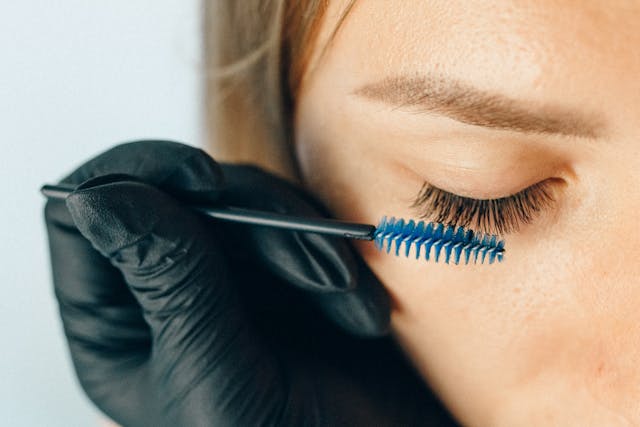
Just because you’re at home doesn’t mean you should neglect your grooming routine. Take a few minutes before your video call to brush your hair, apply some light makeup if you wear it, and ensure you look fresh and awake. Men might want to consider a quick shave or beard trim.
5. Set the Scene
Your background is just as important as your appearance. Choose a clean, uncluttered space for your video calls. A plain wall or a tidy bookshelf can make for a great backdrop. If your home office isn’t quite camera-ready, consider using a virtual background if your video call software offers this feature.
6. Test Your Tech
Before an important video call, always do a test run. Check that your camera and microphone are working correctly, and that your internet connection is stable. There’s nothing worse than realising you’ve been talking on mute for the past five minutes!
7. Make Eye Contact
Eye contact is crucial for effective communication, even in the virtual world. When speaking, look directly into your camera rather than at your screen. This gives the impression that you’re making eye contact with your audience, helping you appear more engaged and confident.
8. Stay Hydrated
Keeping a glass of water nearby during your video call is a good idea. Not only will it help you stay hydrated, but it can also prevent your voice from becoming dry or scratchy during long calls. Just be sure to mute yourself when taking a sip!

9. Mind Your Posture
Good posture not only makes you look more professional but can also help you feel more alert and engaged during your video call. Sit up straight, with your shoulders back and your feet flat on the floor. This position will help you project confidence and stay focused throughout the call.
10. Use Gestures Wisely
Hand gestures can add emphasis and energy to your communication, but they can also be distracting if overused on a video call. Use gestures sparingly and keep them within the frame of your camera. Remember that sudden movements can cause lag or pixelation on some video platforms.
11. Minimise Distractions
Before your video call, take steps to minimise potential distractions. Close unnecessary browser tabs, silence your phone and if possible find a quiet space where you won’t be interrupted. If you live with others, let them know you’ll be on a call to avoid unexpected background noise or appearances.
12. Practice Active Listening
Active listening is just as important on a video call as it is in person. Nod and use facial expressions to show you’re engaged with what others are saying. This not only helps you stay focused but also makes the conversation more dynamic and interactive.
13. Be Mindful of Your Background Noise
Even with the best intentions, background noise can sometimes be unavoidable. If you’re in a noisy environment, use the mute button when you’re not speaking. This simple courtesy can make a big difference in the overall quality of the video call.
14. Take Care of Your Skin
Good skincare is an essential part of looking your best on a video call. Establish a simple skincare routine to keep your complexion clear and glowing. This doesn’t have to be complicated – cleansing, moisturising and using sunscreen (yes, even indoors) can make a significant difference.
15. Don’t Forget to Smile
Last but not least, don’t forget to smile! A genuine smile can light up your face and help you appear more approachable and engaged. Even if you’re feeling stressed or tired, taking a moment to smile can lift your mood and improve your overall appearance on the video call.
As we continue to navigate these challenging times, mastering the art of the video call is becoming increasingly important. By following these tips, you’ll be well-equipped to put your best face forward in the virtual world. Looking good on a video call isn’t just about beauty or vanity – it’s about presenting yourself professionally and confidently in this new digital landscape. With a little effort and practice, you’ll be a video call pro in no time.